

How to Shift from ChatGPT to Claude: Easy Steps

Quick Answer: To shift from ChatGPT to Claude, create a free account at claude.ai, migrate your key prompts, explore Claude’s strengths in long-form reasoning and nuanced writing, and gradually replace your ChatGPT workflows one task at a time. The transition is straightforward and most users adapt within a few days.
You’ve been using ChatGPT for a while now — maybe for writing, research, coding, or brainstorming. It’s been useful. But you’ve been hearing about Claude, Anthropic’s AI assistant, and you’re curious whether the grass is greener.
The good news: switching is easier than you think, and for many users, it’s well worth it.
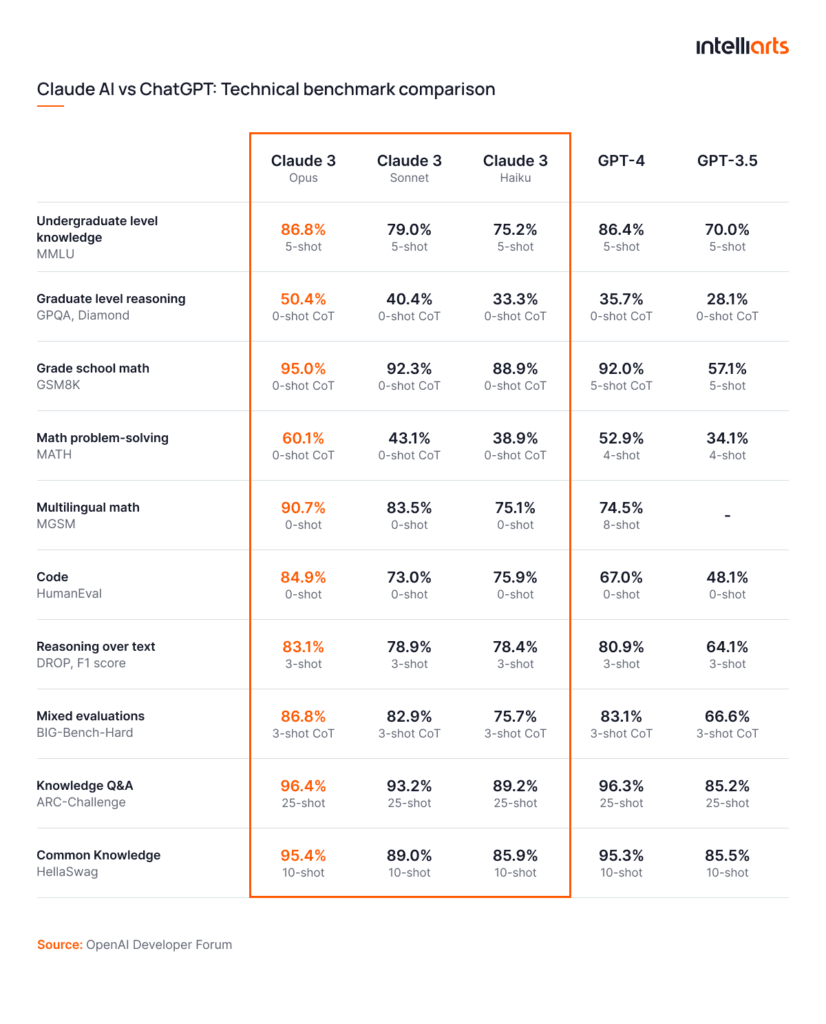
This guide walks you through exactly how to shift from ChatGPT to Claude — step by step — without losing your productivity or starting from scratch.
Why Are People Making the Switch?
Before jumping into the how, it helps to understand the why. ChatGPT and Claude are both capable AI assistants, but they have distinct strengths that appeal to different users.
People commonly shift to Claude because of:
- Longer context window — Claude can process and remember significantly more text within a single conversation, making it better for long documents, contracts, and research papers
- More nuanced, natural writing — Claude’s responses tend to feel less formulaic and more thoughtful, which matters for content creators, marketers, and writers
- Stronger instruction-following — Claude is built with a heavy focus on following complex, multi-part instructions precisely
- Better for sensitive or nuanced topics — Claude’s training emphasizes careful, balanced reasoning, which many professionals find more reliable
- Clean, distraction-free interface — Claude.ai is simple and fast, without the constant upsell prompts many ChatGPT users find frustrating
If any of these resonate with your frustrations, you’re in the right place.
Step 1: Create Your Claude Account
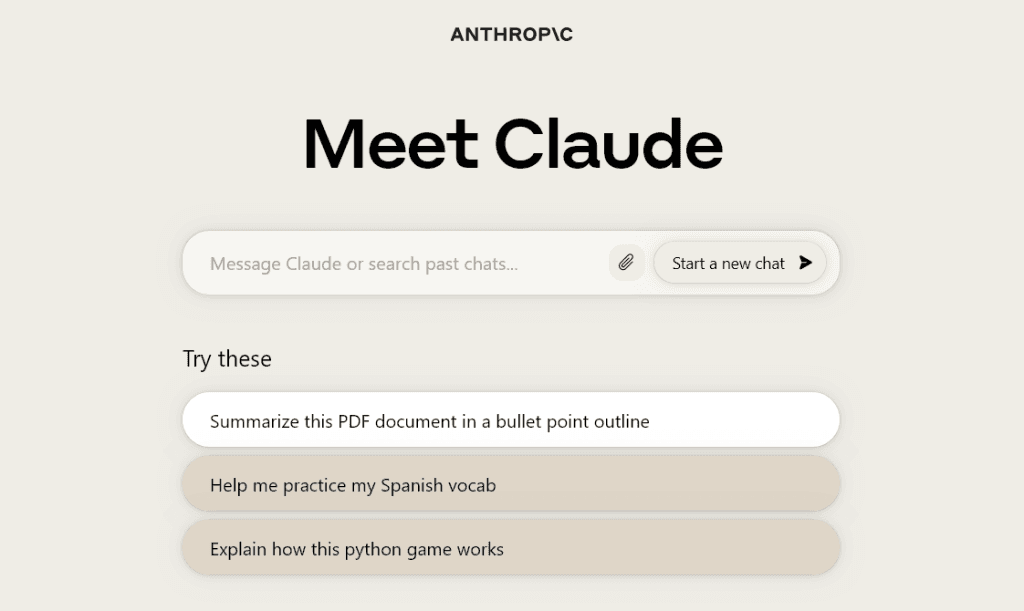
Head to claude.ai and sign up. The process takes under two minutes — you can register with a Google account or an email address.
Claude offers a free tier that gives you access to Claude Sonnet, a highly capable model suitable for most everyday tasks. If you’re a heavy user or want access to Claude Opus (the most powerful model in the lineup), Claude Pro is the paid plan.
Tip: Don’t overthink the plan choice at first. Start with the free tier, get a feel for how Claude works, and upgrade only if you find yourself hitting limits.
Step 2: Audit Your ChatGPT Use Cases
Before you fully migrate, spend 10 minutes listing everything you currently use ChatGPT for. Common use cases include:
- Writing and editing content
- Summarizing documents or articles
- Coding and debugging
- Brainstorming ideas
- Research and fact-checking
- Email drafting
- Customer support scripts
- Learning new topics
This list becomes your migration checklist. You’ll test Claude on each of these tasks and see how it performs before fully committing.
Step 3: Port Your Most-Used Prompts
If you’ve been using ChatGPT effectively, you’ve likely developed go-to prompts that work well for your workflow. These are valuable — and they transfer directly to Claude.
Open your ChatGPT history, identify your best-performing prompts, and copy them into a simple document. Then test them in Claude as-is.
What to expect: Most prompts work seamlessly. Claude may respond slightly differently — often with more nuance or a different structure — but the core output will be comparable or better. If a prompt underperforms, tweak it slightly. Claude responds very well to clear, specific instructions.
Pro Tip: Claude handles longer, more detailed prompts especially well. If you’ve been keeping prompts short out of ChatGPT habit, try expanding them with more context and see the difference.
Step 4: Learn Claude’s Unique Strengths
Claude isn’t just a ChatGPT replacement — it has specific areas where it genuinely outperforms. Knowing these helps you get more value faster.
Long Document Analysis
Paste an entire contract, research paper, or business report and ask Claude to summarize, identify key clauses, or answer specific questions. Claude handles large volumes of text in a single conversation better than most competing tools.
Nuanced Writing Tasks
Ask Claude to write in a specific tone, match a brand voice, or rewrite content without losing its original meaning. Claude’s writing output tends to feel more human and less templated.
Complex Reasoning
For multi-step problems — whether in business strategy, legal analysis, or technical planning — Claude is built to think through problems carefully before responding rather than jumping to the first plausible answer.
Honest Uncertainty
Claude will tell you when it doesn’t know something instead of confidently generating inaccurate information. For research-adjacent tasks, this is a significant advantage.
Step 5: Rebuild Your Workflow Around Claude
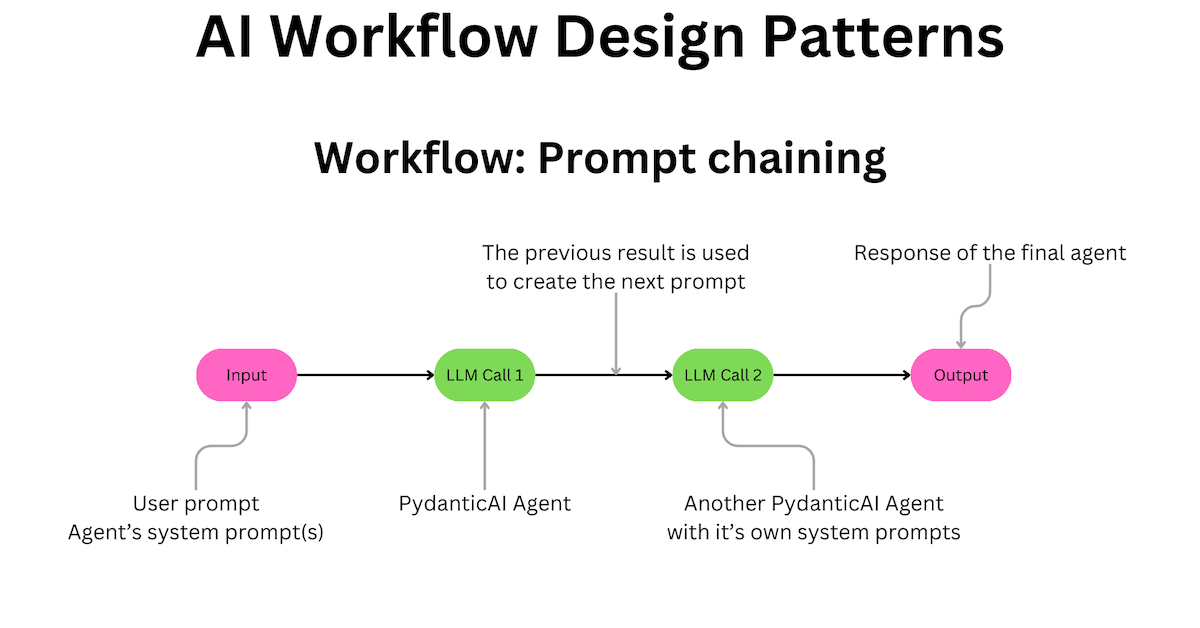
Don’t try to switch everything in one day. Instead, migrate one workflow at a time over the course of a week.
A suggested migration schedule:
- Day 1–2: Use Claude for all writing and editing tasks
- Day 3–4: Move research, summarization, and document tasks to Claude
- Day 5–6: Test Claude on any coding or technical tasks you rely on
- Day 7: Evaluate what’s working, what needs adjustment, and decide where Claude fully replaces ChatGPT for you
This gradual approach prevents the frustration of trying to do everything at once and lets you build familiarity naturally.
Step 6: Adjust Your Prompting Style
Claude and ChatGPT respond to prompts differently, and small adjustments can make a big difference in output quality.
What works especially well with Claude:
- Provide context upfront — Claude does better when it understands why you need something, not just what you need
- Be specific about format — If you want bullet points, a table, or a specific word count, say so clearly
- Use role framing — Starting with “Act as a senior copywriter…” or “You are an experienced data analyst…” helps Claude calibrate its response style
- Break complex tasks into stages — For big projects, give Claude one stage at a time rather than asking for everything at once
What to avoid:
- Very vague one-liners (“write something about marketing”) — Claude can work with them, but specific prompts produce dramatically better results
- Assuming Claude remembers previous conversations — like ChatGPT, each new chat starts fresh unless you’re using a Projects feature or memory settings
Step 7: Explore Claude’s Features
Once you’re comfortable with basic usage, explore what makes the Claude.ai interface useful beyond just the chat window.
- Projects — Organize conversations by client, topic, or workflow so related chats stay grouped and contextually connected
- Memory — Claude can remember preferences and details about you across conversations, reducing the need to re-explain context every session
- File uploads — Drop in PDFs, Word documents, spreadsheets, and images for Claude to analyze and work with directly
- Artifacts — Claude can generate code, documents, and structured content as standalone outputs you can copy or export
These features parallel much of what you may have used in ChatGPT, with some meaningful differences in how they’re implemented.
Step 8: Run a Side-by-Side Test
If you’re still on the fence, run the same prompt through both tools on the same task and compare the outputs directly. Pick something that matters to your actual workflow — a piece of content, a business email, a coding problem.
Most users find that for certain tasks (especially nuanced writing, document analysis, and detailed instruction-following), Claude clearly wins. For others, performance is close enough that personal preference drives the choice.
Common Questions When Switching
Will I lose my ChatGPT history? Your ChatGPT conversation history stays in your OpenAI account. Claude starts fresh, but you can copy over any important outputs or prompts manually.
Is Claude free to use? Yes. Claude’s free tier is genuinely capable for most everyday tasks. The Pro plan unlocks higher usage limits and access to more powerful models.
Is Claude safe for sensitive work? Claude is built by Anthropic with a strong emphasis on safety and responsible AI. For sensitive professional content, Claude’s careful, balanced responses are often more reliable than alternatives.
Can Claude replace ChatGPT entirely? For most users, yes — especially if your primary use cases involve writing, analysis, research, and complex reasoning. Some users keep both tools for specific situations, but many find Claude handles their full workflow effectively.
Final Thoughts: Is the Switch Worth It?
Making the shift from ChatGPT to Claude isn’t a dramatic leap — it’s a gradual, low-risk transition that most users complete comfortably within a week. The learning curve is minimal, the interface is clean, and the capabilities are impressive.
If you’ve been feeling like ChatGPT is giving you formulaic outputs, struggling with long documents, or just want to explore what a different AI approach feels like, Claude is the most compelling alternative available right now.
Start with one task. Test it for a week. Let the results speak for themselves.
Get started at → claude.ai
This article is for informational purposes. Features and plans may change — check claude.ai for the most current details.


Great content! Keep up the good work!